“Learn the four simple steps to add a referral program to a WordPress without slowing your site, using a robust, lightweight, and scalable platform to leverage word-of-mouth.”
You’ve built a fantastic WordPress site. Maybe it’s a booming WooCommerce store, a content-rich blog with a loyal following, or a high-value membership site. You’ve poured hours into your theme, your content, and your products. But now you face the biggest challenge of all: growth.
You’ve likely tried the usual suspects. You’re doing SEO, but it’s a slow-burn. You’ve dabbled in Facebook and Google ads, but the Customer Acquisition Cost (CAC) makes your eyes water. You’re posting on social media, but the algorithm feels like a mystery.
It feels like you’re shouting into the void.
What if you could stop shouting and, instead, get your happiest customers to do the talking for you?
This isn’t just a hopeful idea; it’s a proven marketing strategy. It’s called word-of-mouth marketing, and the most potent way to systemize it is by adding a referral program to your WordPress site.
A referral program turns your existing customer base into a motivated marketing team. It rewards them for successfully referring their friends, family, and colleagues. It’s a win-win: they get a reward, their friend gets a trusted recommendation, and you get a new, high-quality customer for a fraction of the cost of a paid ad.
But here’s where most WordPress users get stuck. They type “WordPress referral plugin” into the dashboard, install the first thing they see, and end up with a system that’s clunky, slow, or just plain doesn’t work.
This article will show you a better way. We’ll walk you through a simple, four-step process to add a powerful, flexible referral program to WordPress that doesn’t require a heavy, site-slowing plugin.
This is the professional way to build a referral system, and it’s easier than you think.
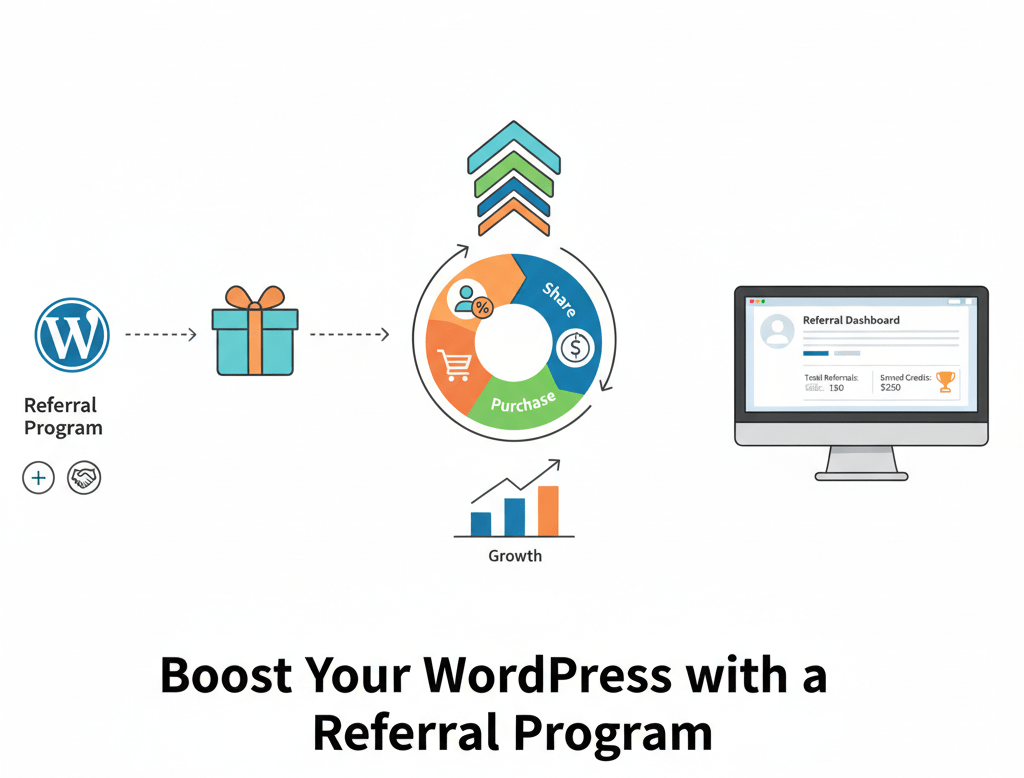
First, Why Does Your WordPress Site Need a Referral Program?
Before we jump into the “how-to,” let’s cement the “why.” Adding a customer referral program to your WordPress site isn’t just another item on your marketing checklist. It’s a fundamental shift in your growth strategy.
The data doesn’t lie. Nielsen reports that 92% of people trust recommendations from friends and family over any other type of advertising. When a trusted friend says, “You have to check out this WooCommerce store. I got $10 off,” the conversion is practically guaranteed.
Let’s break down the tangible benefits of integrating a referral program.
1. Sky-High Conversion Rates
A cold lead from a Google Ad is skeptical. They don’t know you. They don’t trust you. You have to spend precious time and money building that trust from zero.
A referred lead is the exact opposite. They arrive pre-warmed. The trust has already been “transferred” from their friend (your current customer) to you. This means they are significantly more likely to convert and do so more quickly. They’ve skipped the first three rungs of the marketing ladder.
2. A Dramatically Lower Customer Acquisition Cost (CAC)
Think about what you pay for a new customer right now. If you spend $500 on ads and get 10 new customers, your CAC is $50.
Now, imagine you offer a “Give $10, Get $10” reward.
- Your existing customer (the advocate) refers a friend.
- The new customer (the friend) makes a $75 purchase. You gave them $10 off, so you got $65.
- You then give your advocate a $10 credit for their next purchase.
In total, you “spent” $20 in a mix of hard cost and future credit to acquire a $65 sale. Your CAC in this scenario is $20, and you’ve also just incentivized a second purchase from your original advocate. You’ve acquired a new customer for less than half the price of an ad and generated future revenue at the same time. This is how you scale profitability.
3. A Higher Lifetime Value (LTV)
This is the real magic. Referred customers aren’t just cheaper to acquire; they are more valuable over time. Studies from the Wharton School of Business found that referred customers have a 16-25% higher lifetime value.
Why? Because the “fit” is better. People instinctively refer friends whom they know will actually like the product. Your customer, who loves sustainable, high-end coffee, is likely to refer their friends who also appreciate this type of coffee. They are less likely to churn, buy more frequently, and are more likely to become referrers themselves, creating a powerful growth loop. This is the very foundation of a WordPress loyalty program.
4. It Defeats Ad Blockers and Algorithm Changes
Your “WordPress marketing plugins” might be great, but they are often at the mercy of outside forces. Your expensive Facebook ad campaign can be shut down overnight by an algorithm tweak. Your SEO ranking can plummet due to a Google update. Your pop-up forms are blocked by 42% of users.
A referral program is platform-agnostic. It’s a human-to-human conversation. It can’t be blocked by software or demoted by an algorithm. It’s a growth channel you own and control. By building a user acquisition WordPress strategy centered on referrals, you are creating a more resilient and anti-fragile business.
Now that you understand why this is the most powerful way to grow your WordPress site, let’s build one.
Step 1: Choose Your Referral Program Platform
This is the most critical decision you will make. It’s the foundation for your entire program. And for WordPress users, the path seems to fork in two directions:
- The “WordPress Referral Plugin”
- The Dedicated Referral Platform (SaaS)
Let’s explore why one of these paths is a dead end and the other is the key to scalable growth.
The Problem with the “WordPress Referral Plugin”
Go to your WordPress dashboard. Click “Plugins” > “Add New.” Type in “referral.”
You’ll see dozens of options. It seems so easy. Just click “Install” and “Activate.” But this is a trap.
While a dedicated WordPress referral plugin might seem convenient because it “lives” inside your WP-admin, it comes with a host of hidden costs.
- Site-Slowing Bloat: This is the number one killer of WordPress sites. Every active plugin you add introduces more code (PHP, CSS, JavaScript) that has to load on every single page. This bloat slows down your server response time, negatively impacts your user experience, and damages your Core Web Vitals, which directly affect your SEO rankings. A heavy referral plugin, which has to track users, check cookies, and query your database, is often one of the worst offenders.
- The “Plugin Conflict” Nightmare: You install the referral plugin, and suddenly, your WooCommerce checkout page breaks. Or your membership plugin stops working. Why? Because the referral plugin is conflicting with your theme, WooCommerce, or your caching plugin. You’re now stuck in a support-ticket hellscape, trying to figure out which piece of code is responsible.
- Limited Scalability: These plugins are built for WordPress, which means their tracking and data storage are tied to your WordPress database (specifically, wp_postmeta and wp_usermeta). This is fine for 100 users. What happens when your program goes viral and you have 100,000 users? Your database will bloat, and your site will grind to a halt. They simply aren’t designed for large-scale operations.
- Weak Analytics & Features: You’ll receive basic tracking capabilities. “User A referred User B.” But what about detailed funnel analytics? What about A/B testing your reward offers? What about automated fraud detection to stop people from referring themselves? Most plugins offer none of this.
- Your Data is Trapped: Your entire referral program is confined to a single WordPress installation. What if you launch a second site on a subdomain? Or add a separate landing page built on a different tool? Or expand to a Shopify store? You can’t. Your referral program for WordPress is just that—stuck in WordPress.
The Smarter Path: A Dedicated, Platform-Agnostic Solution
A dedicated referral platform, also known as SaaS (Software-as-a-Service), takes a different approach.
Instead of installing heavy code on your server, it runs on a powerful, optimized, external server. Your WordPress site only needs to load a single, tiny, lightweight JavaScript snippet.
This is where a tool like Viral Loops becomes the ideal choice for any serious WordPress site owner.
Viral Loops was built to be “platform-agnostic.” It wasn’t designed just for WordPress. It was designed for growth, period. This means it can be integrated with any website, whether it’s WordPress, a custom-coded app, or a simple landing page.
This is precisely why it’s the perfect solution to add a referral system to your website.
Here’s why Viral Loops is the clear winner over any “WordPress referral plugin”:
- Zero Bloat, Maximum Speed: Because you’re not installing a “plugin,” you’re not adding any server-side bloat. You simply add one small JavaScript snippet to your site. This is the same way you add Google Analytics. It loads asynchronously (in the background) and has zero impact on your site’s performance or Core Web Vitals.
- It Just Works with Everything. Forget plugin conflicts. The Viral Loops snippet is a simple piece of JavaScript. It doesn’t care if you’re using Elementor, Divi, Beaver Builder, or a custom-coded theme. It doesn’t conflict with WooCommerce, LearnDash, or MemberPress. It just works, every single time.
- Extremely Powerful & Scalable: Viral Loops is built to power referral programs for brands like Post-Gamer and even big-name SaaS companies. It can handle tens of millions of participants without breaking a sweat. It comes with features that plugins can only dream of:
- Proven Campaign Templates: Don’t Guess What Works. Launch a proven campaign based on companies like Dropbox (milestone rewards), The Hustle (newsletter referral), or Harry’s (pre-launch leaderboard).
- Advanced Fraud Detection: The system automatically detects and flags suspicious activity, such as self-referrals from the same IP address, ensuring that you only reward legitimate customers.
- Rich Analytics: Go beyond “who referred whom.” See your funnel, track impressions, identify your “super-advocates,” and understand the true ROI of your program.
- Integration is a 5-Minute Job: This is the best part. You don’t need to be a developer. To integrate this referral program, you just copy a snippet of code from your Viral Loops dashboard and paste it into your WordPress site. We’ll show you exactly how to do this in Step 3.
- Your Data is Free: Since it’s a platform, your referral program data is stored in a single, central dashboard. You can run the same campaign across your WordPress blog, WooCommerce store, and email newsletter. It all feeds into one place. This is proper omnichannel marketing.
For a WordPress owner, the choice is clear. Don’t weigh your site down with a clunky plugin. Choose a lightweight, robust, and infinitely scalable platform.
Action: Visit Viral Loops, explore the available campaign templates (such as the “Milestone Referral” or the “The Startup Prelaunch”), and create an account. Once you’re in, the next step is to design the campaign itself.
Step 2: Design Your Referral Campaign
You’ve chosen your platform (Viral Loops). Now for the fun part: designing the engine of your referral program. A successful campaign is built on psychology. It needs to be simple, compelling, and, most importantly, motivating for both the person referring (the Advocate) and the person being referred (the Friend).
The Golden Rule: The Two-Sided Reward
The single most effective reward structure for most businesses, especially a WooCommerce referral program, is the dual-sided (or two-sided) reward.
This is the “Give $10, Get $10” model.
- The Advocate (Your Customer) receives a $10 reward (in cash or credit).
- The Friend (also known as the New Customer) also receives $10 off their first purchase.
Why is this so powerful?
It solves the “selfishness” problem. Many people feel awkward or “salesy” sharing something just to get a reward for themselves. But when they can also give their friend a genuine gift (a $10 discount!), the entire dynamic changes. The Advocate is no longer a salesperson; they’re a helper. They are doing their friend a favor. This dramatically increases the share rate.
What Should Your Rewards Be?
You have two primary options: cash or non-cash rewards.
1. Cash or Store Credit (The High-Motivation Option)
This is the most straightforward and, often, the most motivating reward.
- For WooCommerce: The best reward is store credit or a percentage/dollar-off coupon. Why? Because it drives a future purchase. Giving your Advocate “$10 off their next order” not only rewards them but guarantees you more repeat business. This is how you build a fantastic customer referral program for WordPress e-commerce.
- For Service/Membership Sites: You can offer credit towards the next month’s subscription, or even a direct PayPal payout for high-value referrals (e.g., “Refer a new client, get $100”).
How much? A good rule of thumb is to offer a reward that is significantly less than your Customer Acquisition Cost (CAC) but more than your Average Order Value (AOV). If your AOV is $80 and your CAC is $30, a “Give $15, Get $15” offer is a no-brainer.
2. Non-Cash Rewards (The Community-Building Option)
Sometimes, cash isn’t the best motivator. For blogs, content sites, or strong “brand” communities, non-cash rewards can be even more powerful.
- For Blogs/Newsletters: This is your “user acquisition WordPress” play for your email list. The reward can be:
- Exclusive content (a “secret” blog post, a video)
- A free eBook or digital guide
- Early access to new content
- A shout-out in the following newsletter
- For Brands (WooCommerce/Memberships):
- Swag: T-shirts, stickers, coffee mugs. People love branded gear.
- Tier Upgrades: “Get a free month of our Premium plan.”
- Early Access: “Be the first to see our new product line.”
The “Pro” Move: The Milestone Referral Campaign
Instead of just one reward, consider gamifying your program to make it more engaging and rewarding. This is incredibly effective for blogs and newsletters. Viral Loops has a “Milestone Referral” template inspired by The Hustle’s newsletter growth.
It works like this:
- Refer 3 Friends: Get our “Top 10 Tools” PDF.
- Refer 10 Friends: Get our exclusive “Brand-Building” webinar.
- Refer 25 friends and receive a free brand t-shirt.
- Refer 50 Friends: Get a 30-minute private consultation.
This creates “super-advocates” who will share relentlessly to unlock the next reward.
Crafting Your Message (Keep It Simple!)
Once you have your rewards, you need to communicate them clearly and effectively. Within the Viral Loops dashboard, you can customize the text for your referral widget.
- Headline: Be direct and benefit-driven.
- Bad: “Join Our Referral Program”
- Good: “Give a Friend $20 Off, Get $20!”
- Good: “Refer 3 Friends, Get Our Free eBook.”
- Body Text: Explain it in one sentence.
- “Share your unique link with friends. When they make their first purchase, you’ll both get a $20 coupon.”
- Sharing Message: Customize the pre-written message for social media and email.
- Good: “Hey, I love [Your Brand] and thought you would too. Here’s a link for $20 off your first order. You won’t regret it!”
Action: Log in to your Viral Loops account. Choose a campaign template (like “E-commerce Referral” for WooCommerce or “Milestone Referral” for a blog). Follow the steps to define your rewards (starting with a dual-sided offer, if possible) and customize your messaging.
Step 3: Integrate the Code Snippet into Your WordPress Site
This is the step that scares most people, and it’s the very reason they run to a “WordPress referral plugin.” They think “code” means “hard.”
But with a platform like Viral Loops, it’s not.
Remember, we’re not installing a plugin. We are simply telling WordPress, “Hey, please load this one tiny, safe, and fast script.” This process will take you less time than it takes to brew a cup of coffee.
After you finish designing your campaign in Step 2, Viral Loops will give you your code snippet. It will look something like this:
“
All you have to do is paste this snippet into your WordPress site’s footer. This ensures it loads on every page, allowing it to track visitors and show the referral widget where you want it.
Here are four different ways to do this, from easiest to most advanced. For 99% of users, Option 1 is the best.
Option 1 (The Easiest Way): Use a Free “Headers and Footers” Plugin
This is the safest, fastest, and most recommended method. It doesn’t add any bloat; it simply provides a safe place to paste scripts like this.
- In your WordPress dashboard, go to Plugins > Add New.
- Search for “WPCode – Insert Headers and Footers”. (This is a highly rated, lightweight, and free plugin.)
- Install and activate the plugin.
- After activation, go to the new Code Snippets > Header & Footer menu item in your sidebar.
- You will see a few boxes. Go to the box labeled “Footer”.
- Paste your entire Viral Loops code snippet into this “Footer” box.
- Click the “Save Changes” button at the top.
That’s it. You are done. Viral Loops is now installed on your entire WordPress site. It’s really that simple.
Option 2 (The Theme Options Way): Use Your Theme’s Built-in Settings
Many modern premium themes (such as Divi, Avada, and Enfold) are aware that users need to add tracking scripts. They provide a built-in field for this.
- In your WordPress dashboard, locate the Theme Options panel (e.g., “Divi > Theme Options”, “Avada > Options”, “Enfold > Theme Options”).
- Look for a tab or section labeled “Integration”, “Scripts”, or “Analytics”.
- You will often find a box labeled “Add code to the <body>” or “Add code to the footer.”
- Paste your Viral Loops snippet into that box.
- Save your theme options.
Option 3 (The Page Builder Way): Add to a Specific Page
What if you only want the referral program to appear on a specific page, such as a “Thank You” page or a “My Account” page?
If you use a page builder like Elementor, Beaver Builder, or the Divi Builder, you can use their “Code” or “HTML” module.
- Edit the page where you want the referral program to live.
- Find the “HTML” module (in Elementor, it’s called “HTML”; in Divi, it’s “Code”; in the Block Editor, it’s “Custom HTML”).
- Drag this module onto your page.
- Paste the Viral Loops snippet directly into the module.
- Save/Update the page.
Viral Loops actually has two parts: the main snippet (which you should add to all pages using Option 1) and the widget snippet (which you add only to the page where you want the sharing widget to appear). Using this method is perfect for placing the widget snippet.
Option 4 (The “Pro” Way – Not Recommended): Edit functions.php
For developers who want to do this manually (and only if you are using a child theme):
- Go to Appearance > Theme File Editor.
- Select your child’s theme.
- Open the functions.php file.
- Add the following code to the bottom:
PHP
add_action(‘wp_footer’, ‘my_viral_loops_script’);
function my_viral_loops_script() {
?>
<script type=”text/javascript”>
(function()…);
</script>
<?php
}
Again, just use Option 1. It’s cleaner, safer, and you won’t lose your code when you update your theme.
The Special “WooCommerce Referral Program” Step
If you are running a WooCommerce referral program, you need to do one more small thing: track conversions. You need to tell Viral Loops when a referred friend actually makes a purchase.
Viral Loops makes this easy. It will provide a second, smaller snippet called a “conversion tracking snippet.”
You need to place this snippet only on the WooCommerce “Thank You” (Order Received) page.
The easiest way to do this is with the same “WPCode – Insert Headers and Footers” plugin, but using its conditional logic. Or, you can use a free plugin like “WooCommerce Custom Thank You Pages” to add scripts to that specific page easily.
This small step is what connects the entire loop. It’s how Viral Loops knows to award the Advocate their $10 credit after their friend just checked out.
Step 4: Promote Your WordPress Referral Program
You’ve built a powerful growth engine. You’ve integrated it seamlessly into your WordPress site.
Now, you have to add the fuel.
This is the step where most people fail. They build the program, hide the link in their website’s footer, and then wonder why nobody is signing up. You must promote your referral program as if it were your most important product launch, because it is.
Your existing, loyal customers are your best marketers, but they aren’t mind-readers. You need to inform them about the program, demonstrate its benefits, and make it extremely easy to share.
Here’s how to create a “launch” and an “always-on” strategy for your new program.
The Big Launch: Announce It to the World
Your first goal is to get your existing loyal customers to join the program.
- The Dedicated Email Blast: This is your most potent weapon. Send a dedicated email to your entire email list (and/or all past customers) with a single, clear call-to-action: join the referral program.
- Subject Line: “New: Get $20 (for You and a Friend!)” or “A Gift for You and Your Friends.”
- Body: Keep it simple.
- Start with gratitude: “We love having you as a customer.”
- Announce the program: “We’re launching a new referral program as a way to say thank you.”
- Explain the reward (the “Give & Get”): “It’s simple: Give your friends $20 off their first order, and to say thanks, you’ll get a $20 credit for every friend who is a new customer and makes a purchase.”
- The Call-to-Action (CTA): A large, prominent button labeled “Get Your Referral Link,” which directs users to your referral program page.
- Social Media Blitz: Announce the program on all your social channels. Create a simple graphic that explains the “Give $20, Get $20” offer. Pin this post to the top of your Facebook and Twitter profiles for the first week. Run an Instagram Story explaining how it works.
- On-Site Banners: For the first 30 days, make it impossible to miss. Add a “sitewide notice” bar (many themes include this, or you can use a free plugin) at the top of your WordPress site.
- “LIMITED TIME: Get $20 for every friend you refer! Click here to learn more.”
The “Always-On” Strategy: Integrate It Everywhere
After the initial launch, you need to integrate the program seamlessly into the fabric of your website and marketing efforts. You want to ask for the referral at every moment of high customer satisfaction.
Here are the key places to add permanent calls to action.
- Your “Thank You” Page: This is the most critical place. After a customer purchases from your WooCommerce store, they are directed to the “Order Confirmation” page. They are experiencing a peak of excitement and buyer satisfaction. This is the perfect time to ask for a referral.
- Add a simple text/graphic: “Love your new purchase? Share the love! Give a friend 15% off, and you’ll get $15 for your next order. Get your link here.”
- The “My Account” Page: Every WooCommerce and membership site has a “My Account” dashboard. Add a new tab or a new section labeled “Refer & Earn.” This provides your loyal customers with a permanent, easy-to-find home base to track their referrals and access their link.
- In Transactional Emails: Your most-opened emails are not your newsletters; they are your “order confirmation” and “shipping confirmation” emails. Add a simple P.S. to the bottom of every single one.
- “P.S. Did you know you can get $10? Refer a friend!”
- Your Website Footer: This is a classic. Add a simple text link labeled “Refer a Friend” directly next to “About Us” and “Contact.”
- Your Email Newsletter Template: Add a permanent, small banner or text link in the footer of your newsletter template. It’s a non-intrusive, constant reminder.
- Blog Post Footers: At the end of your blog posts, you have a CTA, right? Mix it up. Instead of just “buy our product,” try “Enjoyed this post? Share it with a friend… and while you’re at it, get $10 for referring them to our store!”
By integrating your program in these key places, you move from a one-time “launch” to a consistent, “always-on” user acquisition WordPress machine that will pay dividends for years to come.
Your Best Marketers Are Already on Your Site
Stop spending all your time and money chasing cold, skeptical traffic.
You’ve already done the hard work of building a great WordPress site and earning the trust of your first customers. Now, it’s time to leverage that trust. Your happiest customers want to tell their friends about you; you just haven’t given them a compelling reason or an easy way to do it.
By following these four steps, you can add a referral program to your WordPress site that runs on autopilot. You’ll be building a sustainable, cost-effective growth engine that drives high-quality leads, increases loyalty, and turns your customers into your most powerful advocates.
Don’t bog your site down with another clunky “WordPress referral plugin.” Take the professional path. Choose a robust, lightweight, and scalable platform like Viral Loops, and you can launch your entire program in under an hour.
Would you like to explore specific referral campaign ideas tailored to your industry, such as for a membership site or a particular type of WooCommerce store?
Frequently Asked Questions (FAQs)
Q: Do I really need a referral program for my WordPress blog, or is this just for e-commerce?
A: Referral programs are incredibly effective for blogs! Instead of rewarding sales, you reward newsletter signups. This is one of the fastest ways to grow your email list. Using a “Milestone Referral” campaign (like “Refer three friends, get my eBook”) turns your readers into your marketing team.
Q: What’s the difference between a referral program and an affiliate program?
A: This is a key distinction.
- A Referral Program is for your customers. It’s designed for 1-to-1 sharing (friend-to-friend), and the rewards are typically store credit, discounts, or swag. The goal is to build loyalty and leverage word-of-mouth.
- An Affiliate Program is for marketers/influencers. It’s designed for one-to-many sharing (a blogger to their audience), and the reward is almost always a cash commission on sales.
Your business can have both. But a customer referral program is the best place to start.
Q: How do I stop people from cheating and referring themselves?
A: This is a massive problem with basic “WordPress referral plugins.” They can’t stop fraud. A professional platform like Viral Loops has sophisticated, automated fraud detection built in. It can block referrals from the same IP address, detect suspicious cookie-stuffing, and flag users who are trying to “game the system.” This feature alone is worth the price, as it ensures you’re only paying for real new customers.
Q: What’s a good reward to offer? I don’t know how much to give.
A: Start with a dual-sided reward (“Give X, Get Y”). For the amount, look at your Customer Acquisition Cost (CAC) and your Average Order Value (AOV). A great starting point is to offer a reward that is less than your CAC. If it costs you $40 to get a new customer from Facebook Ads, offering a $20 reward (“Give $10, Get $10”) is a massive win. You’re acquiring a new customer for half the price, and you’ve just retained a loyal one.
![9 Best Referral Marketing Platforms [In-Depth Comparison]](https://viral-loops.com/blog/wp-content/uploads/2025/06/UPDATE-9-Best-Referral-Marketing-Platforms-In-Depth-Comparison.png)